digital marketing agency – Your One Stop Digital Solution

digital marketing agency

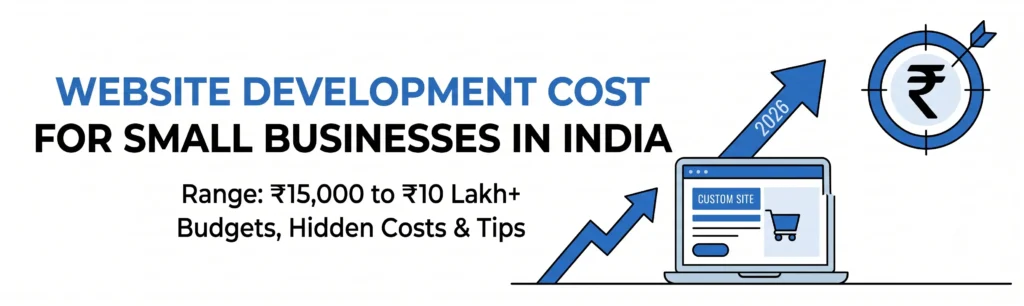
Banner showing website development cost for small businesses in India in 2026, ranging from ₹15,000 to ₹10 lakh+
App Development, Content, CRM, Databases, Digital Marketing, Information, LLM & AI Chatbot, Salesforce, SEO, Technology, Trends, Website Design, Website Development

Website Development Cost for Small Businesses in India: What to Budget For

Ask five agencies what a website costs and you’ll get five quotes: ₹12,000, ₹60,000, ₹2 lakh, “it depends,” and one that never replies. The spread isn’t random. Each quote is pricing a different product, and most of the time nobody has told you which one. This guide breaks down the website development cost for a small business in India by type of site, what each price level includes, and where the extra bills hide. You’ll leave with a realistic budget range and a set of questions for comparing quotes on equal terms. Our stance: the right budget isn’t the lowest or the highest. It’s the one matched to the job your website has to do for your revenue. How Much Does a Small Business Website Cost in India? Here are indicative ranges for 2026. Actual quotes vary by city, agency, and scope. Website Development Cost Table Type of Website Typical One-Time Cost Best For Template-based site(DIY builder or lightly customized) ₹10,000 – ₹40,000 Freelancers, new businesses testing an idea Custom business website Most Common(5-10 pages, WordPress or similar) ₹40,000 – ₹1,50,000 Clinics, consultants, local service businesses, B2B firms E-commerce store(catalogue, payments, shipping) ₹1,00,000 – ₹4,00,000 Businesses selling 20+ products online Custom web app or portal(logins, dashboards, bookings) ₹3,00,000 – ₹10,00,000+ Businesses whose website is the product 💡 Most small businesses land in the second row. If a quote for a standard business site comes in far below ₹25,000, ask what’s been left out. It’s usually SEO groundwork, mobile testing, or ownership of your own files. What Actually Drives the Price? Six factors move a quote up or down. Knowing them lets you cut cost where it doesn’t hurt. Template or Custom: Which One Should You Pay For? Plenty of agencies push custom builds because they’re more profitable. Plenty of budget-conscious owners pick templates and regret it a year later. Neither default is right. Choose a template-based build if you’re pre-revenue, your offer might still change, or you mainly need a credible online presence and a way for people to contact you. Choose custom if your website is a primary source of leads, you compete in a crowded market where looking identical to rivals costs you trust, or you need functionality that templates can’t handle. Our rule of thumb: if your site is expected to bring in more than a handful of leads or sales every month, custom design and proper SEO setup usually pay for themselves within the first year. If it won’t, save the money and put it into a template plus better content. The Costs Nobody Puts in the First Quote The development quote is rarely the total. Budget for these from day one: A realistic first-year total is usually the development cost plus 15-30%. On an ₹80,000 site, that’s ₹12,000 – ₹24,000 in running costs. A Worked Example: Budgeting for a Service Business Let’s run the numbers for a typical scenario: a physiotherapy clinic that wants a 7-page website (Home, About, Services, Team, Blog, Contact, Appointment Booking) with WhatsApp click-to-chat and Google Business Profile integration. That comes to roughly ₹1.44 lakh in year one, including maintenance. Now the return. Suppose the site brings in 10 new patients a month, and each patient spends an average of ₹4,000 across a treatment plan. That’s ₹40,000 a month, or ₹4.8 lakh a year. The site pays for itself in about four months. The numbers here are illustrative, but the method works for any business. Estimate what one new customer is worth, estimate how many the site can realistically bring in, and compare that to the cost. If the math doesn’t work at a conservative estimate, shrink the scope. If it works easily, don’t under-invest. How to Compare Quotes Properly Two quotes for “a business website” are almost never the same product. Ask each vendor: When the Cheapest Quote Costs the Most The pattern is common: a business pays ₹15,000 for a site, it loads slowly, doesn’t show up on Google, breaks on some phones, and gets rebuilt within 18 months. The total spend ends up higher than doing it properly once. Cheap isn’t automatically bad. Cheap with no clear scope, no ownership of your assets, and no support is. Spend where it affects lead generation (design, speed, structure, copy) and save on things that don’t (unneeded features, heavy animations, filler pages). To Sum it Up A small business website in India can cost anywhere from ₹15,000 to ₹5 lakh+, and the right number depends on what the site needs to do for you. Decide on the outcome first (leads, sales, credibility), pick the build type that serves it, and budget for the running costs the first quote leaves out. Not sure which range fits your business? Get a custom quote from Nuclay. Tell us what you need and we’ll send back a scoped, itemised estimate with no vague line items. Need a Clear Website Quote? Get an itemized estimate tailored to your exact budget and goals. Get Your Quote Frequently Asked Questions (FAQ)
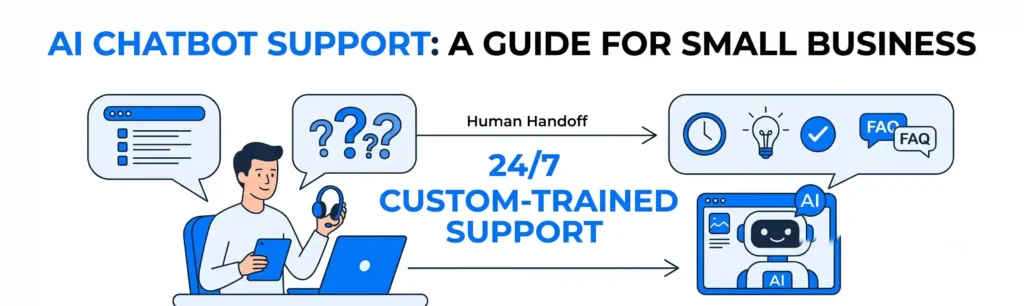
Diagram illustrating 24/7 custom-trained AI chatbot support and human handoff for small businesses.
App Development, Content, CRM, Databases, Digital Marketing, Information, LLM & AI Chatbot, Salesforce, SEO, Technology, Trends, Website Design, Website Development

How AI Chatbots Are Changing Customer Support for Small Businesses

A customer messages your business at 9:40 p.m. asking whether you deliver on Sundays. Nobody sees it until morning. By then, they’ve asked a competitor who replied in two minutes, and you never learn you lost the sale. That gap is where AI chatbot customer support for small business earns its place. This guide explains what a modern chatbot actually does, which support tasks it handles well, where it still fails, and how to set one up so it helps your brand instead of embarrassing it. Our position: a chatbot should never replace your team. It should take the repetitive questions off their plate so they can spend time on the conversations that need a human. Businesses that treat it as a cheap replacement for staff usually end up with angry customers. Businesses that treat it as a front desk assistant usually end up with faster replies and fewer missed leads. What Is an AI Chatbot for Customer Support, Really? Older chatbots followed rigid scripts: press 1 for hours, press 2 for pricing. If your question didn’t match a button, you hit a dead end. Modern AI chatbots understand ordinary language and answer from information you give them. This is what “custom-trained” means: the bot reads your website pages, price lists, policies and FAQs, then answers questions using only that material. Ask “Can I return a sale item?” and it finds your return policy and explains it in plain words. The difference matters. A generic AI tool guesses. A chatbot trained on your own business content answers like someone who has worked there for a year. What Can a Chatbot Handle Well? Most small business support inquiries fall into a handful of repeating categories. Chatbots are strongest here: Consider a small home-services company getting 60 inquiries a week. If roughly two-thirds are the same five questions, a chatbot can resolve around 40 of them without anyone lifting a finger. Your team then spends its week on quotes and complicated jobs, which is where the revenue is. Where Chatbots Still Fall Short Being honest about limits is what separates a useful chatbot from a frustrating one. Expect trouble with: That last point is the real risk. A well-built chatbot is set up to say “I’m not sure, let me connect you with our team” instead of guessing. If a vendor can’t explain how their bot handles questions it doesn’t know, walk away. How Much Does an AI Chatbot Cost for a Small Business? Pricing varies widely, and this is where many owners get confused. Broadly, there are three routes: For most small businesses, the middle option offers the best balance. Cost depends on how much content the bot learns from, which tools it connects to (CRM, booking calendar, WhatsApp, website) and how many channels it covers. That’s why we quote each project individually rather than publish a flat price. How Do You Set One Up So It Actually Works? Skipping planning is the most common reason chatbot projects disappoint. Follow this order: Step 1: List your top 20 customer questions Pull them from emails, WhatsApp chats, call notes and reviews. These are your chatbot’s core curriculum. Step 2: Write down the honest answers Include prices, timelines, exceptions and what you don’t do. Vague answers produce vague bots. Step 3: Decide the handoff rules Define when the bot brings in a human: an angry customer, a refund request, a high-value quote. Route these to a named person or team with a clear response time. Step 4: Connect it to where leads go A chatbot that captures a lead but leaves it in a chat log wastes the effort. Send every conversation into your CRM (customer relationship management system) so follow-up is tracked. Step 5: Test, then review weekly for a month Read real conversations, spot wrong or awkward answers, and fix the source content. A chatbot improves quickly when someone pays attention in the first thirty days. How Do You Measure Whether It’s Working? Skip vanity numbers like “total chats.” Track these instead: If resolution rate is high but satisfaction is dropping, the bot is answering confidently and wrongly. That’s your signal to retrain it. To Sum it Up AI chatbots are changing small business support in a simple way: customers get instant, accurate answers at any hour, and your team gets its time back. The results depend almost entirely on how well the bot is trained and how clearly you define when a human steps in. If you’d like a chatbot built around your own services, pricing and customers, get a custom quote from Nuclay. Tell us what your customers ask most, and we’ll show you what a trained chatbot would handle, what it would cost, and where your team should stay in the loop. Never Miss a Lead Again Get a custom AI chatbot built for your business. Answer customer questions 24/7 automatically. Get A Free Quote Frequently Asked Questions (FAQ)
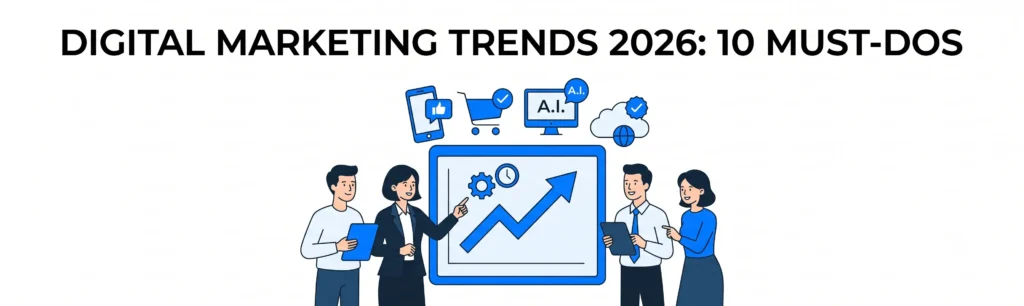
Digital Marketing Trends 2026: 10 Must-Dos - banner illustration of a business team analyzing a growth chart surrounded by icons for social media, e-commerce, AI, and cloud technology
App Development, Content, CRM, Databases, Digital Marketing, Information, LLM & AI Chatbot, Salesforce, SEO, Technology, Trends, Website Design, Website Development

10 Digital Marketing Trends Every SMB Should Know in 2026

Every January, a fresh wave of “trends” arrives. Small business owners are told to be on ten new platforms, run five new tools, and rebuild their strategy from scratch. You don’t have the team or the budget for that, and you shouldn’t try. This post covers the digital marketing trends of 2026 that matter for a small business, and which ones are worth your limited time. Three deserve action this quarter, a few can run quietly in the background, and the rest can wait. Here’s our stance up front: most 2026 trends are variations on one idea. People get answers faster than ever and expect businesses to respond just as fast. If your marketing helps with both, you’re ahead of most competitors. 1. AI Search Is Now Part of Your Google Ranking Problem More searches now end on an AI-generated answer before anyone clicks a link. Google’s AI Overviews, ChatGPT, Perplexity and similar tools pull from web pages and summarize them. For a small business, ranking #3 isn’t enough anymore. You also want to be the source the AI quotes. That mostly comes down to clarity: Google’s own guidance says there’s no special trick for showing up in AI features. Good, helpful content is still the foundation. Action level: high. Treat this as your SEO strategy, not a separate project. 2. Local Visibility Beats Broad Traffic If you serve a specific area, your Google Business Profile often matters more than your homepage. It’s what appears on the map, in “near me” searches, and increasingly in AI answers about local services. Keep it alive with fresh photos, accurate hours, detailed service listings, and a steady flow of new reviews. A realistic target for most local businesses is five to ten new reviews a month. That tells Google, and customers, that you’re active and trusted. Action level: high. It’s cheap, and it’s where local buyers make decisions. 3. AI Chatbots That Actually Handle Leads Basic website chat widgets that say “we’ll get back to you” are dead weight. The 2026 version is a chatbot trained on your own content (services, price ranges, FAQs, policies) that answers questions and books appointments at 11 p.m. Picture a dental clinic with 40 website visitors a day, most browsing after work. If those visitors can only fill in a form and wait until tomorrow, many will book with whichever clinic answers first. A trained chatbot closes that gap by answering “Do you take my insurance?” and “Can I get a Saturday slot?” on the spot. The key word is trained. A generic bot that guesses will hurt your brand. One built on your actual information feels like a helpful front desk. Action level: high, especially if you get inquiries outside business hours. 4. First-Party Data and a Real CRM Third-party tracking keeps getting harder, and privacy rules keep tightening. The businesses that stay effective are the ones that own their customer data: emails, purchase history, inquiry sources, and follow-up notes. This is called first-party data, meaning information customers give you directly. If your leads live in a mix of inboxes, spreadsheets and WhatsApp threads, you can’t measure what’s working or follow up consistently. A CRM (customer relationship management system) such as Salesforce or a lighter alternative, connected to your website and forms, fixes that. Action level: high. Every other trend on this list works better with clean customer data behind it. 5. Short-Form Video, Without the Production Budget Short vertical video (Reels, Shorts, TikTok) is still one of the most efficient ways to get in front of new people. It doesn’t need studio gear. A phone, decent lighting and one useful tip per clip is enough. What works for small businesses: Posting several simple clips a month beats one expensive brand film. Action level: medium. Pick one platform where your customers actually spend time. 6. Social Proof Is the New Advertising Buyers trust other buyers. Reviews, customer photos, testimonials and micro-influencer partnerships (creators with a few thousand engaged local followers) increasingly do the work ads used to do. Build the habit of asking for a review right after a good experience, then reuse it everywhere: your site, your ads, your profiles. Action level: medium. Low cost, high return. 7. Direct Channels: Email, SMS and WhatsApp Social reach shifts with every algorithm change. A message to a customer who opted in doesn’t. Email, SMS and WhatsApp let you reach people directly, and for repeat buyers they usually cost far less per sale than paid ads. Start simple: a welcome message, an appointment reminder, a “we haven’t seen you in a while” nudge. Segment by behavior instead of blasting everyone. Action level: medium. 8. People Search Everywhere, Not Just on Google Customers now search on YouTube, TikTok, Reddit, Instagram and inside AI tools. That doesn’t mean you need to be everywhere. It means your expertise should be findable wherever your specific customers look. Ask your last five customers where they searched before contacting you. The answers will tell you more than any trend report. Action level: medium. 9. AI-Assisted Content, With a Human in the Loop Yes, AI can draft your blog posts, emails and social captions in minutes. Yes, everyone else is doing this too, which is exactly the problem. Unedited AI content sounds the same across every business, and readers and search engines notice. Use AI for outlines, first drafts, repurposing and research. Then add what only you have: real examples, real prices, real opinions, real customer stories. Action level: medium. Use the speed, keep the personality. 10. Measure Leads and Revenue, Not Vanity Numbers Likes and impressions feel good, but they don’t pay bills. The businesses pulling ahead in 2026 track a handful of numbers: If you can’t say which channel brought your last five customers, fix that before adding anything new. Action level: high, and it’s the foundation for every decision above. Which Trends Should You Actually Act On? If you only have bandwidth for three things, start here: Everything else becomes more

Header illustration for a guide on AR/VR marketing for small businesses, showing a smartphone displaying AR furniture and a person using a VR headset.
App Development, Content, CRM, Databases, Digital Marketing, Information, LLM & AI Chatbot, Salesforce, SEO, Technology, Trends, Website Design, Website Development

AR/VR in Marketing: Is It Right for Your Small Business Yet?

Every few months, another brand rolls out a slick AR filter or VR showroom, and small business owners start asking the same question: should we be doing this too? The honest answer is: sometimes, but not always, and definitely not the way most people assume. AR/VR marketing for small businesses isn’t a single decision – it’s a spectrum. A furniture shop letting customers “place” a couch in their living room via phone camera is a completely different investment than building a full virtual reality showroom. One might pay for itself in a month. The other might sit unused after launch. This post breaks down where AR and VR marketing actually work for small businesses, where they’re a waste of budget right now, what they realistically cost, and how to test the idea cheaply before committing real money. What AR and VR Marketing Actually Look Like These two terms get used interchangeably, but they’re not the same thing, and mixing them up leads to bad budget decisions. AR (Augmented Reality) overlays digital elements onto the real world through a phone camera or app. Think Instagram filters, or the IKEA Place app that lets you see how a couch looks in your actual living room before buying. VR (Virtual Reality) replaces the real world entirely, usually through a headset. It’s fully immersive – think a virtual property tour where you “walk through” a house that doesn’t exist yet. For most small businesses, AR is the more realistic entry point. It runs on a phone people already own. VR usually requires a headset most of your customers don’t have, which immediately narrows who can even experience what you built. Where AR/VR Marketing Is Already Working for Small Businesses This isn’t theoretical – there are specific categories where it’s already earning its keep: The common thread: the product or outcome is visual, and uncertainty about “what will this actually look like” is what’s stopping the sale. Where It’s Still a Waste of Budget This is the part most agencies won’t tell you straight, so we will. If you sell a service that isn’t visual – accounting, legal, consulting, most B2B software – AR/VR marketing isn’t solving a problem your customers actually have. Nobody’s sitting on the fence about hiring a bookkeeper because they can’t visualize a spreadsheet in 3D. It’s also premature for businesses still building basic traffic and conversion. If your website isn’t converting the visitors you already get, an AR experience won’t fix that – it’ll just be an expensive distraction sitting on top of an unsolved problem. Our position: AR/VR marketing should follow demand, not create it. Build it because customers are already asking “what will this look like,” not because a competitor has one. The Real Cost of Getting Started Budgets vary widely, but here’s a realistic range for small businesses in 2026: None of these are “set it and forget it.” Each needs a plan for how customers will actually discover and use it – otherwise it’s a well-produced piece of content nobody sees. A Cheaper Way to Test the Waters First Before committing five figures to a custom build, there’s a lower-risk path: This is the approach we recommend to almost every small business client asking about AR/VR: prove the demand cheaply first, then build. Should You Actually Do This? AR/VR marketing isn’t a trend to chase just because it’s available – it’s a tool that fits a specific problem: customers who can’t quite picture the outcome before they buy. If that’s your business, it’s worth testing on a small budget first. If it isn’t, your money is better spent elsewhere for now. If you’re not sure which camp you fall into, that’s exactly the kind of call worth talking through before you spend anything. Talk to our team – we’ll give you a straight answer, not a sales pitch for a build you don’t need. Is AR/VR Right for Your Business? Stop guessing your tech budget. Connect with the Nuclay team for an honest strategy call before spending a dime. Talk To Our Team Frequently Asked Questions (FAQ)

Infographic outlining a 5-area AI marketing readiness checklist: data foundation, use case clarity, team readiness, tech stack, and brand guardrails, each with an icon and key requirement.
App Development, Content, CRM, Databases, Digital Marketing, Information, LLM & AI Chatbot, Salesforce, SEO, Technology, Trends, Website Design, Website Development

Free AI Marketing Readiness Checklist: Is Your Business Ready for AI?

Every business we talk to says they want “to do more with AI.” Almost none of them can answer the follow-up question: ready to do what, exactly, and with what data? That gap is the actual problem. Not a lack of AI tools – there are thousands. The problem is most businesses try to bolt AI onto a marketing operation that isn’t structured to use it well: messy customer data, no clear use case, no one owning the rollout. The result is a chatbot nobody trained properly, or a “content AI” that produces generic copy nobody wanted in the first place. Below is the AI Marketing Readiness Checklist we use with clients before recommending any AI build. It’s a 10-minute self-audit across five areas that actually determine whether AI will work for your business – not a generic “10 AI trends” listicle. Score yourself as you go. Why We Built This Instead of Just Pitching CustomGPT We could have skipped the checklist and gone straight to “hire us to build you a custom AI chatbot.” We didn’t, because half the businesses that come to us asking for a CustomGPT solution aren’t actually ready for one yet – their data isn’t clean enough, or they don’t have a specific use case, and a chatbot built on that foundation underperforms no matter how good the build is. This pattern shows up constantly in discovery calls. A business will say their customer data is “basically fine,” and then it turns out purchase history lives in the e-commerce platform, support tickets live in a separate helpdesk tool, and email engagement lives in a third system that’s never been connected to either. None of those systems talk to each other. An AI chatbot layered on top of that setup doesn’t fail because the AI is bad – it fails because it’s working with a third of the picture. Businesses that catch this before building anything save themselves a rebuild later. That’s what this checklist is for: catching the gap before you spend on tools or a build. How to Score It Each section below has 4-5 questions. Rate yourself honestly from 1 (not at all) to 5 (fully in place) on each question, then add up your total for that section. At the end, you’ll total every section for an overall readiness score out of 100. Section 1: Data Foundation AI is only as good as the data it learns from. This section tells you whether your data is actually usable. If you scored low here: don’t build anything yet. Fixing fragmented or messy data first – even something as simple as connecting your CRM and helpdesk tool – will do more for AI performance than any amount of prompt engineering later. Section 2: Use Case Clarity “We want to use AI” isn’t a use case. This section checks whether you actually have one. If you scored low here: pick one process – usually the one costing your team the most hours or losing the most leads – and start there. Trying to solve five problems with one AI tool is how most rollouts stall. Section 3: Team and Process Readiness Tools don’t fail on their own. They fail when no one owns them. If you scored low here: assign ownership before you assign budget. An AI tool with no one responsible for tuning it will quietly stop being used within a few months, the same way most under-adopted software does. Section 4: Tech Stack Compatibility AI tools need somewhere to plug in. This section checks whether your current systems can actually support that. If you scored low here: this is often the fastest fix on the list. A quick audit of your CRM and website platform usually reveals whether you need new infrastructure or just need to turn on features you’re already paying for. Section 5: Content and Brand Guardrails If AI is going to write, respond, or represent your brand, it needs rules to follow. Most businesses haven’t written those rules down. If you scored low here: this is quick to fix and easy to skip, which is exactly why most businesses skip it. A one-page brand voice doc with a few good and bad examples is often enough to keep AI-generated content from sounding generic. What Your Total Score Means Add up your scores across all five sections for a total out of 100. Who This Checklist Is For This is built for business owners and marketing leads who are past “should we even look at AI” and into “where do we actually start.” It’s useful whether you’re evaluating a custom AI chatbot for customer service or sales, AI-assisted content or campaign production, AI features layered into your existing CRM, or simply whether to build in-house versus bring in a partner. Where to Go From Here Your score isn’t a grade, it’s a map. If you landed in the 80-100 range, you’re in a strong position to move on a custom AI build without wasting time or budget. If you scored lower, you now know exactly which gap to close first, instead of guessing or buying tools that won’t perform on a shaky foundation. Either way, you don’t have to figure out the next step alone. Talk to our team about your results and we’ll tell you plainly whether you’re ready to build, what to fix first if you’re not, and what that would actually involve. Not Sure What Your Score Actually Means? Skip the guesswork. Talk to the Nuclay team and get a clear answer on whether you’re ready to build or what to fix first. Get Your Results Reviewed Frequently Asked Questions (FAQ)

Infographic titled "The Real Cost of Ignoring SEO," listing three impacts: lost visibility (zero search ranking, invisible to leads), high customer cost (heavier reliance on paid ad spend vs. organic), and competitor advantage (competitor growth up 30% while you fall behind).
App Development, Content, CRM, Databases, Digital Marketing, Information, LLM & AI Chatbot, Salesforce, SEO, Technology, Trends, Website Design, Website Development

Is PR Worth It for Startups? A Readiness Test, Not a Price Tag

Every “is PR worth it” article does the same thing: dumps a table of agency price ranges on you and calls it advice. That’s not useful, because the honest answer is that PR pricing varies so much by scope, market, and agency that any number we gave you would be a guess dressed up as data. What actually determines whether PR is worth it isn’t the price – it’s whether you’re ready for it. We’ve watched founders spend real budget on PR at the wrong moment and walk away saying “PR doesn’t work.” We’ve also watched a single well-placed story outperform months of paid ads. Same tactic, completely different outcome – because readiness, not cost, was the deciding factor. This guide skips the price table and gives you an actual framework: five readiness signals that predict whether PR will pay off for your startup, and what to do instead if you’re not there yet. Why “How Much Does PR Cost” Is the Wrong First Question Founders ask about cost first because it’s the easiest number to compare. But PR isn’t a fixed-price service like a logo design – it’s ongoing outreach with no guaranteed outcome, which means the same monthly spend can produce wildly different results depending on what you’re pitching and who’s pitching it. Two startups can hire the same agency, pay the same retainer, and get opposite results. The one with a specific, newsworthy angle gets picked up. The one with “we launched a product” gets ignored. The agency isn’t the variable. The story is. So instead of asking “what does PR cost,” ask “do I have something worth a journalist’s time.” That question tells you far more about ROI than any price range. The 5 Readiness Signals That Actually Predict PR Success 1. You Have a Specific, Non-Obvious Angle “We’re disrupting [industry]” is not a story. Journalists don’t cover launches – they cover angles: a surprising data point, a contrarian take, a trend they’re already writing about that you happen to fit into. If you can’t finish the sentence “the interesting part of our story is ___” with something other than your product description, you’re not ready to pitch press yet. 2. You Have a Real Timeline Pressure Point PR works best tied to an event: a funding round, a notable hire, a data study, a product milestone that’s actually surprising. Startups that treat PR as an always-on channel with no news hook tend to get the weakest results, because there’s nothing time-sensitive for a journalist to act on. If nothing is happening at your company in the next quarter, hold off. 3. Your Buyer or Investor Actually Reads the Outlets You’d Target A feature in a major tech outlet feels good, but if your buyers live in a niche vertical trade publication or industry newsletter instead, that placement won’t move your pipeline. Before pursuing PR, map out where your actual audience gets their information – it’s rarely the outlet with the biggest name. 4. You Can Survive a 2-3 Month Lag PR is slow. Pitching to placement typically takes weeks, sometimes months, especially for top-tier outlets. If you need leads in the next 30 days, PR is the wrong lever to pull – that budget is better spent on channels with a faster feedback loop, like paid search or outbound. 5. Your Product Is Stable Enough to Be Written About If your product or positioning is still changing materially month to month, you risk burning your best story on a version of the company you’re about to outgrow. Press coverage has a long shelf life on Google – a story written about an earlier, rougher version of your product can outlive its accuracy. A quick gut check: if you hit all five signals, PR is very likely worth pursuing right now. Miss two or more, and the smarter move is to fix those gaps first, then revisit. What “Worth It” Actually Looks Like When PR Works When the readiness signals line up, PR does a few things well that other channels don’t: Example: A B2B SaaS company we worked with didn’t have a launch or funding news to pitch – but they had run an internal data study on a trend in their industry. That single data-driven story got picked up by a mid-tier trade publication and generated a meaningful spike in inbound demo requests within two weeks, outperforming their existing paid ad spend for that period. The angle worked because it wasn’t about the company. It was a data point other people in the industry actually wanted to reference. That’s the pattern worth noticing: the startups who see real ROI from PR almost always have a story that exists independently of “please cover us.” When to Walk Away From PR (For Now) We’d rather tell you this than take the retainer: if you’re pre-product-market fit, PR is usually the wrong spend. You don’t yet have a stable story, and the coverage you’d get would describe a company you’re about to iterate away from. Also skip it if: None of these are permanent disqualifiers. They’re signals to fix first, then come back to PR once they’re resolved. So, Is PR Worth It for Your Startup? The price-range version of this question has no honest answer, because the range genuinely depends on your scope and market. The readiness version does: if you have a specific angle, a timeline that supports it, and an audience that’s actually reading the outlets you’d target, PR is one of the highest-leverage moves available to an early-stage company. If you’re missing more than one of those, it’s worth fixing first. Not sure which camp you’re in? Talk to our PR team and we’ll tell you straight – including if the answer is “not yet.” Is Your Startup PR-Ready? Get an honest assessment from our team, even if the answer is “not yet.” Check Your Readiness Frequently Asked Questions (FAQ)

Infographic titled "The Real Cost of Ignoring SEO," listing three impacts: lost visibility (zero search ranking, invisible to leads), high customer cost (heavier reliance on paid ad spend vs. organic), and competitor advantage (competitor growth up 30% while you fall behind).
App Development, Content, CRM, Databases, Digital Marketing, Information, LLM & AI Chatbot, Salesforce, SEO, Technology, Trends, Website Design, Website Development

The Real Cost of Ignoring SEO for Your Small Business

“We’ll get to SEO eventually” is one of the most expensive sentences a small business owner can say. Not because SEO is magic, but because every month it’s postponed, a competitor is quietly climbing the search results you’re not showing up in – and picking up the customers who would have found you instead. This isn’t a post trying to scare you into buying SEO services. It’s a straight look at what “ignoring SEO” actually costs, in real numbers where we can get them, so you can decide with clear eyes instead of vague guilt. By the end, you’ll know exactly where that cost shows up in your business – and the target keyword here, cost of ignoring SEO, is really a question of lost revenue, not lost rankings. The Traffic You’re Not Getting Doesn’t Announce Itself This is the core problem with skipping SEO: there’s no invoice for it. No alert says “you lost 40 potential customers this month.” The cost is invisible because it’s made of people who never found you in the first place. Roughly 68% of online experiences begin with a search engine, and the top five organic results capture the large majority of clicks – with position one alone pulling in a significantly higher share than page two results, which barely register at all. If your business isn’t on page one for the terms your customers are actually searching, you’re not “missing out a little.” You’re functionally invisible to most of that demand. Case in Point: What This Looks Like in Practice Take a local service business – say, a mid-sized plumbing company – searching “[emergency plumber + city name].” That’s a high-intent search: someone has a problem right now and is ready to hire. If that business isn’t ranking, every one of those searches goes to a competitor instead, and it happens dozens of times a month, silently. Now scale that across every keyword relevant to a business: service terms, product categories, “near me” searches, comparison searches. Each one a business doesn’t rank for is a small, repeated leak. None of them show up on a P&L line labeled “SEO,” but together they add up to a real number in lost revenue. Paid Ads Don’t Fix This – They Just Hide It Temporarily A common response to weak organic visibility is to lean harder on paid search. That works, but it’s borrowed visibility – the moment the ad budget stops, so does the traffic. SEO builds visibility that stays even when spend doesn’t. We’re not anti-paid-ads. Ads are the right call when you need traffic now, especially for a new business with zero organic footprint. But treating ads as a permanent substitute for SEO means paying rent forever on visibility you could eventually own. Competitors Are Compounding While You Wait SEO is one of the few marketing channels that compounds. A blog post or optimized page published today can keep ranking and generating leads a year from now with no additional spend. That’s the upside most businesses underweight. The flip side is what ignoring it costs: while your business waits, competitors who are investing in SEO are building authority – backlinks, ranking history, content depth – that gets harder to catch up to the longer it goes uncontested. Delaying SEO by a year doesn’t just cost you that year’s traffic. It costs you a year of head start you’re handing directly to whoever is willing to show up in the results instead of you. Where This Actually Hits the Bottom Line The Bottom Line Ignoring SEO doesn’t mean nothing happens. It means something happens without you – customers search, find competitors, and buy from them instead, month after month, invisibly. The cost isn’t hypothetical; it’s just easy to miss because there’s no bill for it. Want to see exactly what it’s costing your business right now? Get a free SEO audit and we’ll show you the gap in plain numbers, not jargon. How Much Revenue Are You Losing to Competitors? Stop letting search traffic slip away silently. Connect with the Nuclay team to claim your free SEO audit and uncover your hidden revenue gap. Get Your Free SEO Audit Frequently Asked Questions (FAQ)

Diagram comparing General AI ChatGPT's generic internet knowledge to CustomGPT's specific business knowledge trained on company documents, data, and inventory for accurate answers.
App Development, Content, CRM, Databases, Digital Marketing, Information, LLM & AI Chatbot, Salesforce, SEO, Technology, Trends, Website Design, Website Development

CustomGPT vs ChatGPT: What’s Actually Different for Your Business?

If you’ve typed a few prompts into ChatGPT and thought “could this run part of my business,” you’re not alone – and you’re not wrong to wonder. But there’s a real gap between using ChatGPT as a tool and building a CustomGPT: an AI chatbot trained specifically on your company’s own data, processes, and voice. That gap matters more than most business owners realize until it costs them a deal, a compliance headache, or a customer’s trust. This post breaks down where ChatGPT genuinely holds up, where it starts to fall apart at business scale, and what you actually get when you invest in a custom-built alternative. By the end, you’ll know which one fits where you are right now – not which one sounds more impressive in a sales pitch. What ChatGPT Is Actually Built For ChatGPT (the consumer and Plus/Team versions most businesses start with) is a general-purpose assistant. It’s trained on a broad slice of the internet, not your business. That makes it excellent at drafting emails, brainstorming, summarizing documents you paste in, or writing a first-pass blog post. What it’s not built for: knowing your pricing tiers, your return policy, your product SKUs, or the answer to “what did we tell this customer last time they emailed support.” Ask it something specific to your business and it will either say it doesn’t know, or – more dangerously – guess confidently and get it wrong. That’s a hallucination, and it’s the single biggest reason companies stop letting ChatGPT touch customer-facing work. What a CustomGPT Actually Is A CustomGPT is a chatbot built on top of large language model technology (often the same underlying models that power ChatGPT) but trained on your data: your knowledge base, your CRM records, your product catalog, your support tickets. Instead of pulling from the open internet, it pulls from what’s actually true about your business. Practically, this means a customer asking “do you ship to Canada” gets an answer from your actual shipping policy – not a plausible-sounding guess. It’s the difference between a smart intern who read the internet and an employee who’s read your internal wiki. The Real Differences That Affect Your Business Accuracy on Your Own Information ChatGPT has no memory of your business unless you feed it context in every single conversation. A CustomGPT has that context built in permanently. For a support team fielding the same 40 questions a day, that’s the difference between a tool that saves time and one that creates more work double-checking its answers. Data Privacy and Security This is where a lot of companies get uncomfortable. Standard ChatGPT accounts aren’t built for handling sensitive customer data, contracts, or proprietary pricing – and depending on your plan, your inputs may be used to help train future models unless you’ve explicitly opted out. A CustomGPT, built properly, keeps your data contained, doesn’t train on it, and can be configured to meet requirements like GDPR or industry-specific compliance. If your team is pasting customer PII into ChatGPT to save time, that’s a liability sitting in plain sight. Brand Voice and Control ChatGPT answers like ChatGPT – helpful, generic, and the same for every company using it. A CustomGPT can be scoped to only answer within your guardrails: your tone, your approved language, your escalation rules for when a human needs to step in. That control matters the moment this tool is talking to actual customers instead of just your team. Cost ChatGPT’s paid tiers run roughly $20–30 per user per month for individuals or small teams – cheap, and fine for internal drafting work. A CustomGPT is a bigger upfront investment because it’s built, trained, and integrated specifically for you, not a subscription. But it replaces work that would otherwise cost you in support hours, missed leads, or bad customer experiences from an assistant that doesn’t actually know your business. When ChatGPT Is Genuinely Enough We’re not going to pretend everyone needs a custom build – that’s not honest, and it’s not how we’d want a vendor to talk to us either. If you’re a small team using AI for internal writing, research, or brainstorming, and nothing customer-facing or sensitive touches it, ChatGPT Plus or Team is a perfectly reasonable tool. Don’t overbuy. When You Need a CustomGPT Instead The line gets crossed the moment AI starts talking to your customers, handling anything with personal data, or needing to know facts specific to your business that change how a conversation should go. At that point, generic ChatGPT isn’t a cost-saver – it’s a risk you’re carrying for free. That’s the point where an agency-built CustomGPT starts paying for itself in fewer support tickets, faster response times, and conversations that don’t require a human to clean up afterward. The Bottom Line ChatGPT is a good general tool. It was never built to be your business’s brain. If AI is going to touch your customers, your data, or your reputation, the gap between “generic assistant” and “trained on your business” is exactly where things go right – or wrong. Want to know whether your business actually needs a CustomGPT, or whether ChatGPT is doing enough for now? Get a custom quote and we’ll tell you honestly, not just sell you the bigger build. Is Generic ChatGPT Costing You Customers? Stop guessing if you need a custom build. Get an honest assessment from Nuclay – a real recommendation, not a sales pitch. Get Your Free Quote Frequently Asked Questions (FAQ)

Infographic outlining 3 steps to choose a digital marketing agency: identifying goals, evaluating expertise, and vetting pricing and communication.
App Development, Content, CRM, Databases, Digital Marketing, Information, LLM & AI Chatbot, Salesforce, SEO, Technology, Trends, Website Design, Website Development

How to Choose the Right Digital Marketing Agency for Your Business

Most businesses don’t fire their marketing agency because the agency was incompetent. They fire them because nobody asked the right questions before signing the contract. We’ve had more discovery calls than we can count with business owners who left their last agency because of vague reporting, missed deadlines, or a strategy that never matched their actual goals. Choosing a digital marketing agency isn’t about finding the one with the flashiest case studies – it’s about finding the one whose process, pricing, and communication style actually fit how your business operates. This guide walks through what to actually evaluate, the questions most people forget to ask, and the warning signs that show up before you’ve signed anything. Start With What You’re Actually Trying to Fix Before you look at a single agency, get specific about the problem. “We need more marketing” isn’t a brief – it’s a shrug. Are leads not converting? Is traffic flat? Is your brand invisible against competitors who spend less than you? The reason this matters: agencies specialize, whether they admit it or not. A shop built around paid ads will often push paid ads as the answer to a branding problem. A firm that lives in SEO will stretch a six-month content plan onto a business that needed a faster fix. Write down your actual goal in a sentence – “increase qualified leads from our website by [X%] in six months” is a brief. “Grow our business” is not. You’ll use this sentence to test every agency you talk to. Full-Service vs. Specialist: Pick Based on Complexity, Not Prestige There’s a persistent idea that full-service agencies are somehow less focused than specialists. In our experience, that’s backwards for most small and mid-sized businesses. If your marketing touches SEO, paid ads, your website, and your CRM – and for most businesses it does – hiring four specialists means four teams that don’t talk to each other, four invoices, and you playing project manager between them. A full-service agency (one team handling strategy, execution, and the tech underneath it) removes that coordination tax entirely. Specialists make sense in a narrower case: you have an internal marketing team that needs one specific gap filled, like conversion rate optimization or paid social. If that’s you, hire a specialist. If you’re building marketing from scratch or your current approach is scattered across vendors, a full-service partner will move faster and cost less in wasted hours than stitching together freelancers. Ask to See Actual Work, Not Just Results Case studies are marketing. Ask any agency you’re seriously considering to walk you through one real project, live, on the call – not a slide with a client name and a big percentage. Push for specifics: An agency that can talk through a real failure and what they changed is more trustworthy than one that only has wins. Every agency has had a campaign underperform. The ones worth hiring can explain what they learned from it without getting defensive. A Quick Gut Check: Ask About Their Own Marketing If a digital marketing agency can’t show you how they market themselves – their own SEO rankings, their own content, their own lead flow – be skeptical. It’s a reasonable proxy for whether they actually practice what they’re selling you. Pricing Models: Understand What You’re Actually Buying Agencies typically price one of three ways, and each comes with a trade-off: None of these is inherently better. The mistake is not asking which model you’re being quoted and matching it to what you actually need. A retainer for a business that needs one project done is overpaying. Performance pricing for a business that needs brand-building, which takes months to show measurable results, sets everyone up to be frustrated. Communication and Reporting: Set the Standard Before You Sign The single biggest driver of agency breakups isn’t results – it’s silence. Ask before signing: If an agency can’t produce a sample report on the spot, that’s a preview of what working with them will feel like. You want numbers tied to your actual goal from Step 1 – not vanity metrics like “impressions” dressed up as wins. Red Flags Worth Walking Away From A few patterns show up again and again with agencies that don’t work out: The Bottom Line The right digital marketing agency isn’t the one with the biggest client logos on their homepage – it’s the one that can clearly explain your problem back to you, show real work instead of highlight reels, and commit to reporting you’ll actually understand. If you’re evaluating agencies right now and want a second opinion on a proposal you’ve already received – or just want to talk through what your business actually needs – book a free consult with our team. We’ll tell you honestly whether we’re the right fit, even if that means pointing you elsewhere. Need a Second Opinion on Your Agency Pitch? Get an honest proposal review or strategy chat. No pressure, no pitch. Book Free Consultation → Frequently Asked Questions (FAQ)

Services

Get in touch

Gurugram Office

Dehradun Office

Scroll to Top