You’ve probably heard the term from a competitor, a vendor, or an accountant who insists you need one. Maybe you’ve been quietly nodding along without being sure what it actually is. That’s fine. Most explanations are written by software companies, and they make it sound far more complicated than it is.
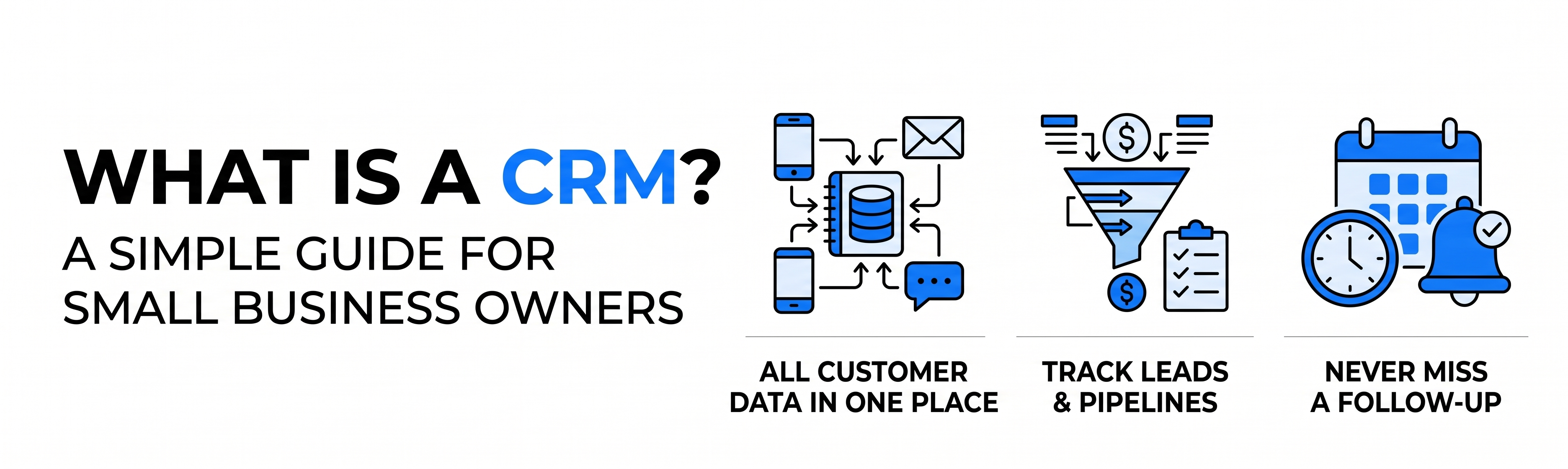
Here’s the plain version. A CRM (customer relationship management) system is a single place where your business keeps track of every customer and potential customer: who they are, what they’ve bought, what you’ve said to them, and what should happen next. If you’re a small business owner trying to understand what a CRM is and whether it’s worth the money, this guide covers what it does, who needs one, and how to avoid the most common mistakes.
We’ll also take a clear position: a CRM is not about the software. It’s about whether you remember to follow up.
What Is a CRM, in Plain Language?
Think of a CRM as a shared notebook that never loses a page. Every time someone fills in a form on your website, calls your shop, or replies to an email, their details and history land in one record.
Without one, that information lives in scattered places: a spreadsheet, a few email threads, someone’s phone contacts, sticky notes. With one, anyone on your team can open a customer’s record and see the full story in about ten seconds.
A typical CRM record shows:
- Contact details and company
- Every email, call, and meeting logged against that person
- Where they are in your sales process (new enquiry, quote sent, closed)
- Purchases, invoices, or booked services
- Tasks and reminders, such as “call back Thursday”
What Does a CRM Actually Do for a Small Business?
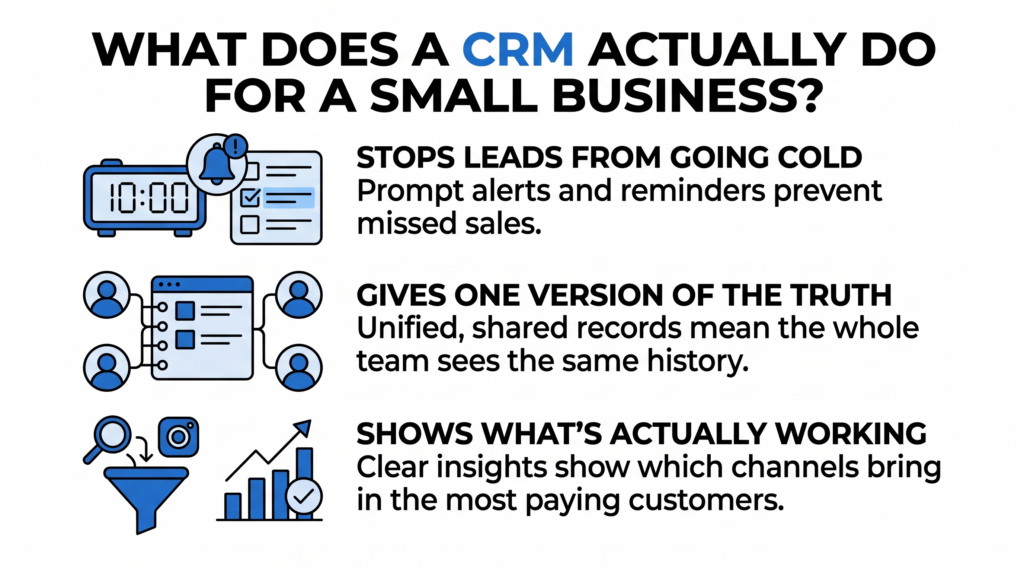
It Stops Leads From Going Cold
Most small businesses don’t lose sales to competitors. They lose them to silence. An enquiry arrives on Friday, the owner gets busy, and by Wednesday the customer has hired someone else.
A CRM fixes this with reminders and pipelines. If a quote has been sitting for three days with no reply, it flags it. Research widely cited in sales circles suggests that responding to a new lead within the first hour makes you several times more likely to have a real conversation with them, and a CRM can alert you the moment that lead arrives.
It Gives You One Version of the Truth
When two team members email the same customer without knowing about each other, it looks careless. When a customer has to repeat their problem to three different people, they remember it.
A CRM means everyone sees the same history. Nothing depends on one person’s memory or inbox.
It Shows You What’s Actually Working
Instead of guessing, you can see which lead sources bring in paying customers. If 40 enquiries came from Google and 12 from Instagram, but the Instagram ones close twice as often, that changes where you spend your marketing money.
Who Needs a CRM, and Who Doesn’t?
Here’s our honest view: not every business needs one on day one.
You probably need a CRM if:
- You’re juggling more than 20 to 30 active leads or customers at a time
- More than one person talks to customers
- You’ve ever forgotten to follow up on a quote
- You can’t quickly say how many enquiries you got last month
- Your customer information lives in more than two places
You can probably wait if:
- You have a handful of repeat clients and manage them easily
- You’re a solo operator with a very simple sales process
Picture a small interior design studio with three staff. Enquiries come through the website, Instagram messages, and phone calls. Quotes go out by email. Without a CRM, the owner spends Monday mornings digging through inboxes to remember who needs a reply. With one, every enquiry is logged automatically, and a dashboard shows eight quotes pending, two overdue. That single view usually pays for the software within a few months.
What CRM Features Matter Most? (And Which Ones to Avoid)
CRM vendors love long feature lists. For a small business, a short list matters more.
Features worth paying for:
- Contact and deal tracking with a simple pipeline view
- Automatic logging of emails and calls
- Reminders and task assignment
- Website form and email integration, so leads arrive without manual typing
- Basic reporting you can understand without training
Features you can usually ignore at first:
- Advanced forecasting and AI scoring
- Complex automation workflows with dozens of branches
- Dozens of add-on modules
A common mistake is buying the most powerful system on the market and using about 10% of it. Start simple. You can always grow into more.
How Much Does a CRM Cost?
Prices vary widely, but here is a realistic range for small businesses:
- Free plans: Several well-known CRMs offer free tiers suitable for very small teams, with limits on users or features.
- Entry-level paid plans: Roughly $15 to $50 per user per month.
- Mid-range plans: $50 to $150 per user per month, with automation and reporting.
- Custom or enterprise setups: Higher, depending on integrations and customization.
The software price is rarely the real cost. The bigger expense is the time spent setting it up, importing old data, and getting your team to use it. A cheap CRM that nobody updates is more expensive than a good one everyone relies on.
Why Do So Many CRM Projects Fail?
This is the part vendors skip. Most CRM failures aren’t caused by bad software. They come from three predictable problems:
- Nobody owns it. Without one person responsible for keeping it clean and enforcing its use, data goes stale.
- It doesn’t connect to anything. If your website, email, accounting, and CRM don’t talk to each other, your team ends up typing the same details twice, and they’ll stop.
- It was set up around the software, not the business. The pipeline stages should mirror how you actually sell, not a generic template.
Getting the integration right from the start is what separates a CRM that runs your business from one that becomes an expensive address book.
The Bottom Line
A CRM is a simple idea: one reliable place for everything you know about your customers, so no lead is forgotten and no conversation starts from zero. The software matters less than the setup, the habits, and the connections to your other tools.
If you’re weighing up whether a CRM makes sense for your business, or you already have one that isn’t pulling its weight, our team can help you choose, set up, and connect it properly. Talk to our CRM team and we’ll map out a system that fits how your business actually sells.
Never Miss a Lead Again
Turn scattered leads into paying clients. Let Nuclay build a simple, effective CRM setup for your business.
Get Started NowFrequently Asked Questions (FAQ)
Does a small business really need a CRM?
Not always, but most small businesses benefit once they handle more than a few dozen leads or customers, or have more than one person speaking to clients. If you've ever lost a sale because you forgot to follow up, you need one.
What is the difference between a CRM and a spreadsheet?
A spreadsheet stores data, but a CRM actively works with it. A CRM logs emails automatically, sends follow-up reminders, tracks sales stages, and lets multiple people update records at once without overwriting each other.
How much does a CRM cost for a small business?
Free plans exist for very small teams, and paid plans typically range from about $15 to $150 per user per month. Setup, data migration, and training add to the total cost.
What is the best CRM for a small business?
The best CRM is the one your team will actually use and that connects to the tools you already have. Simplicity and integration with your website and email matter more than the size of the feature list.