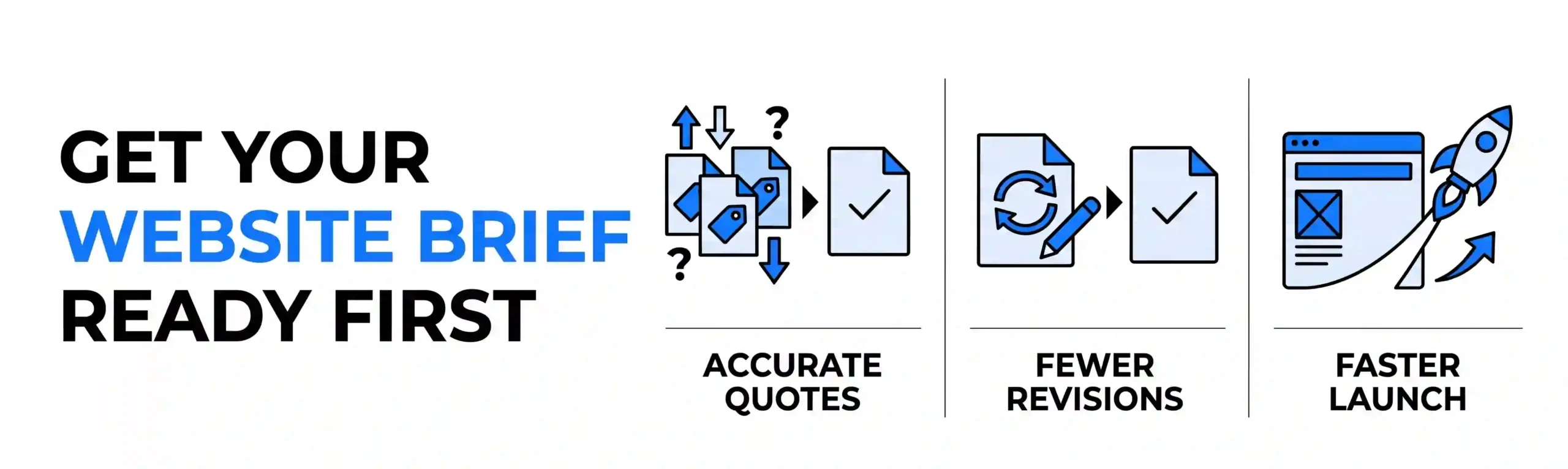
Ask three developers to quote on “a website for my business” and you’ll get three wildly different numbers. One says ₹60,000, another says ₹1.5 lakh, a third says ₹4 lakh. None of them is wrong. They’re pricing three different websites, because you haven’t told them which one you want.
A website brief fixes that. It’s a short document that tells a developer what you’re building, who it’s for, and what success looks like. This post explains what goes into a good website brief before hiring a developer, and gives you a free template you can copy and fill in today. It takes about an hour to complete, and it will save you weeks of back-and-forth later.
Why Does a Website Brief Matter More Than Your Choice of Developer?
Most project problems don’t come from bad developers. They come from vague instructions. When the brief is unclear, developers guess, and every wrong guess becomes a revision round you pay for in time or money.
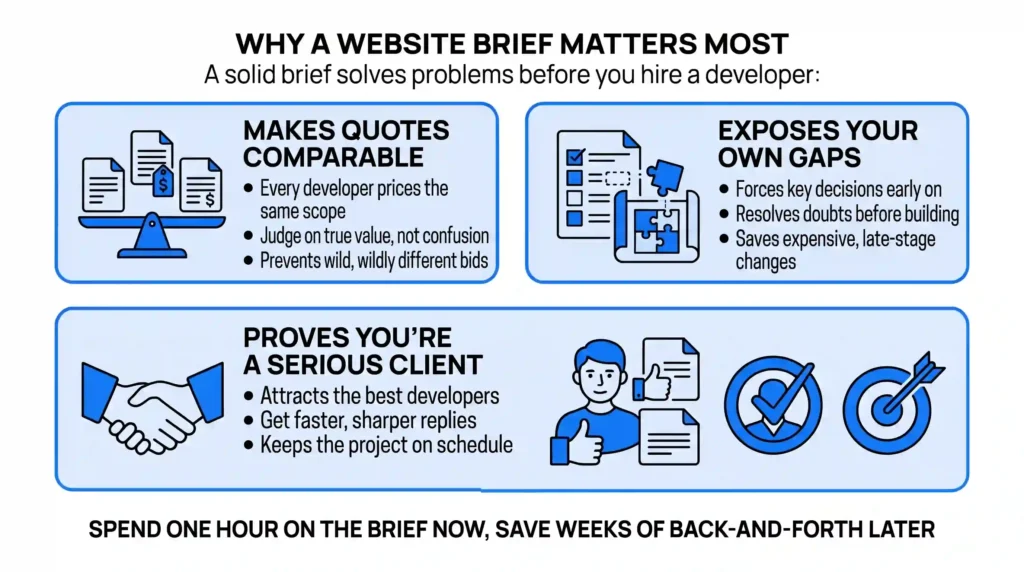
A solid brief does three things:
- It makes quotes comparable. Every developer prices the same scope, so you can judge on value instead of confusion.
- It exposes your own gaps. Writing it forces you to decide things you’d otherwise avoid until the project is half built.
- It shows you’re a serious client. Good developers notice. You’ll get faster, sharper replies.
Our view: if you can only spend one hour on your website project this month, spend it on the brief, not on browsing design inspiration.
What Should a Website Brief Include?
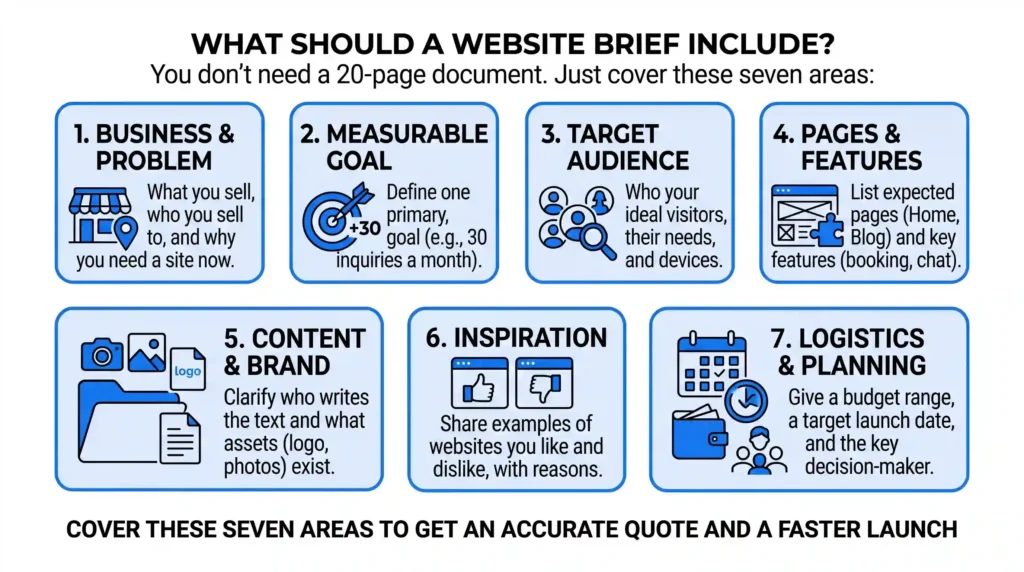
You don’t need a 20-page document. One to two pages covering the seven areas below is enough.
1. Your business and the problem the site solves
Write two or three sentences on what you sell, who you sell to, and why you need a site now. “We run a physiotherapy clinic in Guwahati and lose walk-in patients because our competitors show up on Google and we don’t” is a useful sentence. “We want a modern website” is not.
2. Your goal, in one measurable line
Pick one primary goal. For example: “Get 30 appointment enquiries a month through the contact form within six months of launch.” A goal gives the developer a way to make decisions about layout, content, and features.
3. Your audience
Describe your ideal visitor in a few lines. Their age range, what they’re searching for, what device they use, and what worries them before they contact you. A site for retired homeowners looks very different from one for college students.
4. Pages and features you need
List every page you expect, such as Home, About, Services, Contact, and Blog. Then list features separately: online booking, payment gateway, WhatsApp chat button, a login area, or a multilingual option. Features are where costs jump, so be specific.
5. Content: who is writing it, and what exists already
This is the most common reason projects stall. Say whether you have a logo, photos, and written content, or whether the developer needs to arrange any of it. If you’re still deciding your brand look, that is a separate job you should settle first.
6. Websites you like and dislike
Share three examples of sites you admire and one you don’t, with a sentence on why. Don’t ask for a copy. You’re showing taste, not requesting a clone.
7. Budget, timeline, and who decides
Give a realistic budget range and a target launch date. Also name the one person with final say. Projects with three approvers and no owner drift for months.
The Free Website Brief Template
Copy the questions below into a document and answer each one in a sentence or two.
Section A: About the business
- What does the business do, and who are its customers?
- What problem is the new website meant to solve?
- Which cities or regions do you serve?
Section B: Goals
- What is the single most important action a visitor should take?
- What number would make you say the website is working?
Section C: Audience
- Who is the ideal visitor, and what are they searching for?
- What questions or doubts do they have before contacting you?
Section D: Scope
- Which pages do you need?
- Which features do you need (booking, payments, chat, login, languages)?
- Do you need a blog or the ability to edit content yourself?
Section E: Content and brand
- Do you have a logo, brand colours, photos, and written copy?
- Who will provide or approve new content?
Section F: References
- Which three websites do you like, and why?
- Which one do you dislike, and why?
Section G: Practicalities
- What is your budget range?
- What is your target launch date?
- Who is the final decision-maker?
- Do you need ongoing maintenance after launch?
A Quick Example of a Brief Done Well
Here’s how one short section reads when it’s filled in properly:
“Goal: Get 30 appointment enquiries a month through the site within six months. Audience: adults aged 30 to 60 in Guwahati with back or knee pain, mostly on mobile. Features: online appointment form, WhatsApp button, a services page for each treatment, a map and clinic hours. Content: we have photos and a logo; the developer should write the page copy. Budget: ₹80,000 to ₹1.2 lakh. Launch: within eight weeks.”
A developer reading that knows what to build, roughly what it costs, and when it’s due. That’s the whole point.
Mistakes That Make a Brief Useless
- Listing features without a goal. A chatbot, a blog, and a booking tool are all nice. If none of them serves your goal, they’re just cost.
- Hiding the budget. Developers can’t tailor a solution without a range. Withholding it usually produces higher quotes, not lower ones.
- Skipping the content question. Websites rarely launch late because of code. They launch late because nobody wrote the text.
- Writing it for the developer, not for the customer. Your brief should describe your visitor’s needs first and the technical build second.
Conclusion
A website brief is the cheapest way to get a better website. It turns “build me something good” into a clear target, makes quotes comparable, and keeps the project on schedule. Fill in the template above, even imperfectly, and you’ll be ahead of most clients a developer meets.
Finished your draft or stuck halfway? Share your brief with us, and the Nuclay team will review it, point out gaps, and tell you what your project is likely to need.
Stuck on Your Website Brief?
Share your draft with us. The Nuclay team will spot gaps and tell you exactly what your build needs.
Get Your Brief ReviewedFrequently Asked Questions (FAQ)
How long should a website brief be?
A good website brief is usually one to two pages. It needs to cover goals, audience, pages, features, content, budget, and timeline, but it doesn't need to be exhaustive. Clear and specific beats long.
Do I need a website brief if I'm hiring a small agency or freelancer?
Yes. Smaller teams rely even more on a clear brief because they have less time for discovery calls. A brief also protects you by making sure everyone agrees on the scope before work starts.
What happens if I hire a web developer without a brief?
Quotes become hard to compare, the scope tends to grow mid-project, and you often pay for revisions caused by misunderstood requirements. A brief doesn't remove all changes, but it reduces most avoidable ones.
Should I include my budget in a website brief?
Yes. Sharing a realistic budget range lets a developer propose a solution that fits it, rather than guessing or quoting something you can't afford. You don't need to share an exact number.